Guide

How to use GameSolved, step by step.

Ten steps, from the first filter to the two Beta tools. Every screen below is the real workspace, with sample data and bookmaker names blurred.

1X2 · full time1
BACK · bookmaker2.30
+1.8%margin
LAY · sharp reference2.26
What an alert compares: the BACK price of a bookmaker and the LAY price of the reference, on the same selection.
01

Sign in and choose a mode

After activation you sign in from the website. The workspace opens on Sharp comparison; the mode menu also offers Punta/Punta and Multipla + bancate.

  • One account works on one active device at a time: signing in elsewhere closes the previous session.
  • Your filters, column widths and preferences are kept on the device.
  • Help is one click away in the private assistance chat.
02

Set the filters once

The filter bar decides what you see, and the grid and the alert centre follow the same filters.

  • Sport, time window, country and competition, market.
  • Minimum margin (VAL) in points or percent, odds range and minimum LAY liquidity.
  • The bookmakers to show and the reference to compare them with.

Tip Set a time window of a few hours to work the events that start soon; widen it to plan ahead.

03

Read the market grid

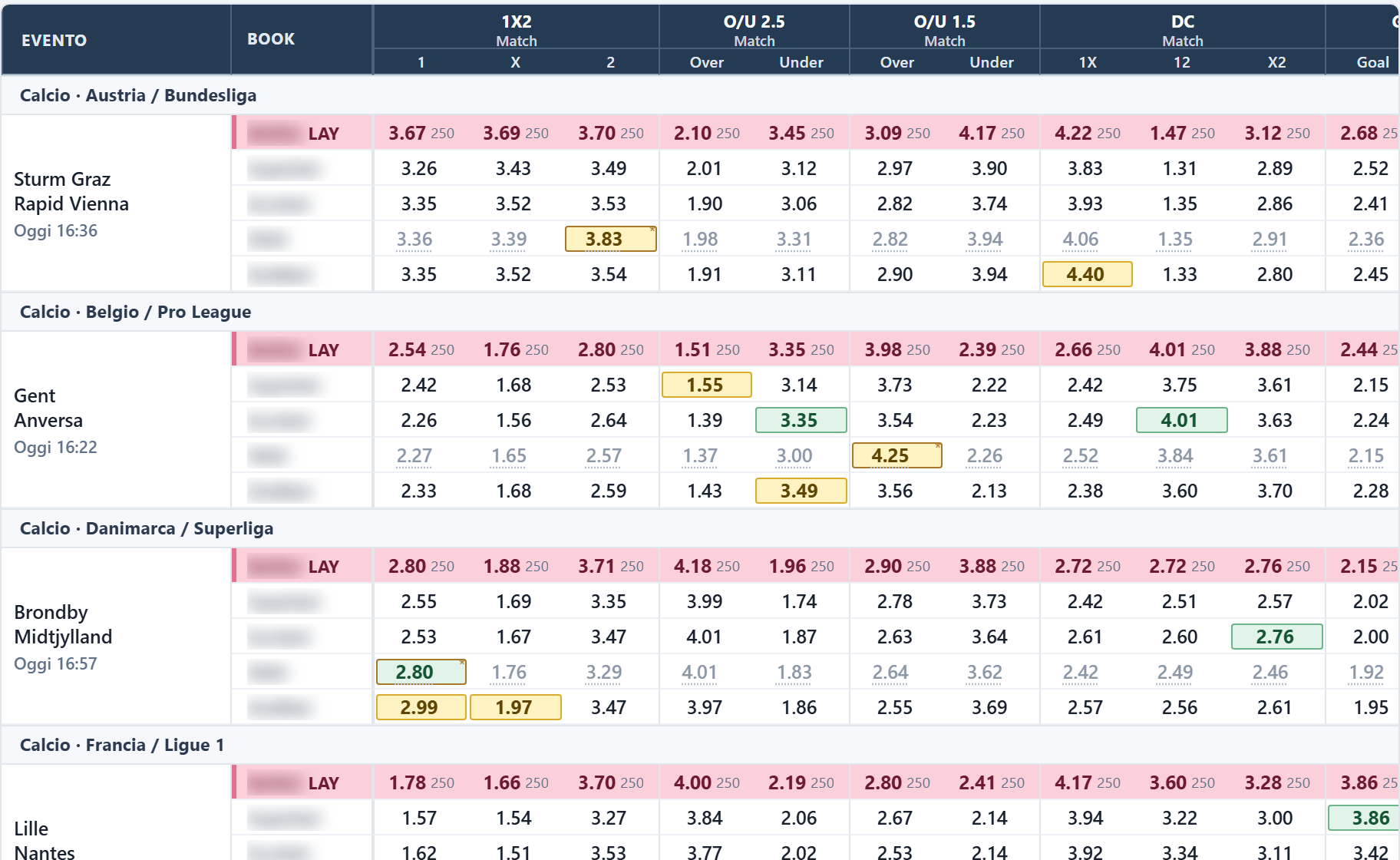
Each event has one column per market and selection. The reference LAY row sits on top, the bookmaker BACK rows below it.

  • Green: the BACK price equals the LAY. Yellow: it beats it.
  • Hover a price for its source time; an old reading is marked to verify and disappears after 30 minutes.
  • Click a bookmaker price to open the event on the bookmaker site.

Tip An alert is active only while both readings are fresh. If one ages, the cell keeps its colour with an asterisk and the alert moves to to verify; after 30 minutes the price is no longer shown.

04

Work the alert centre

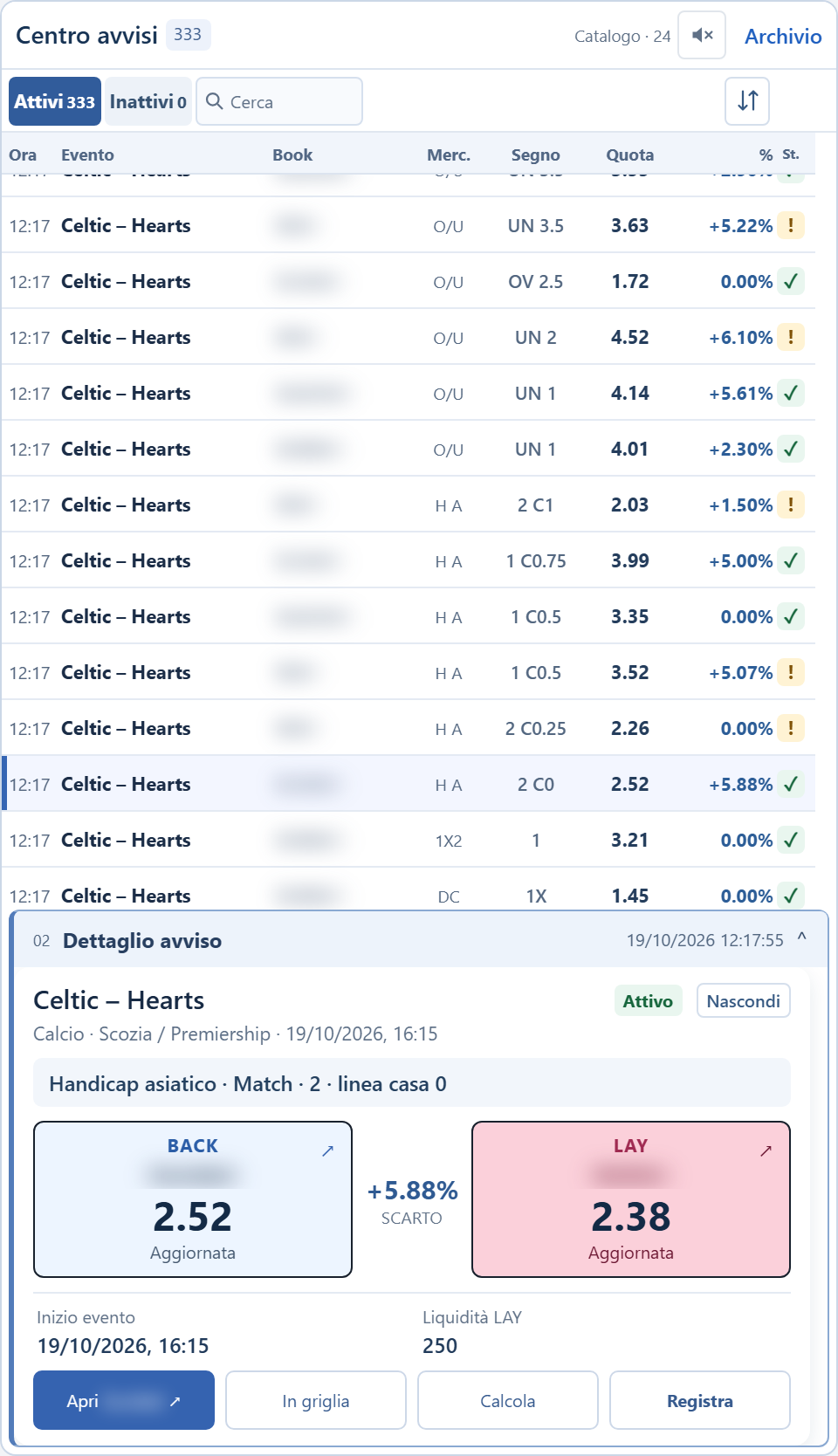
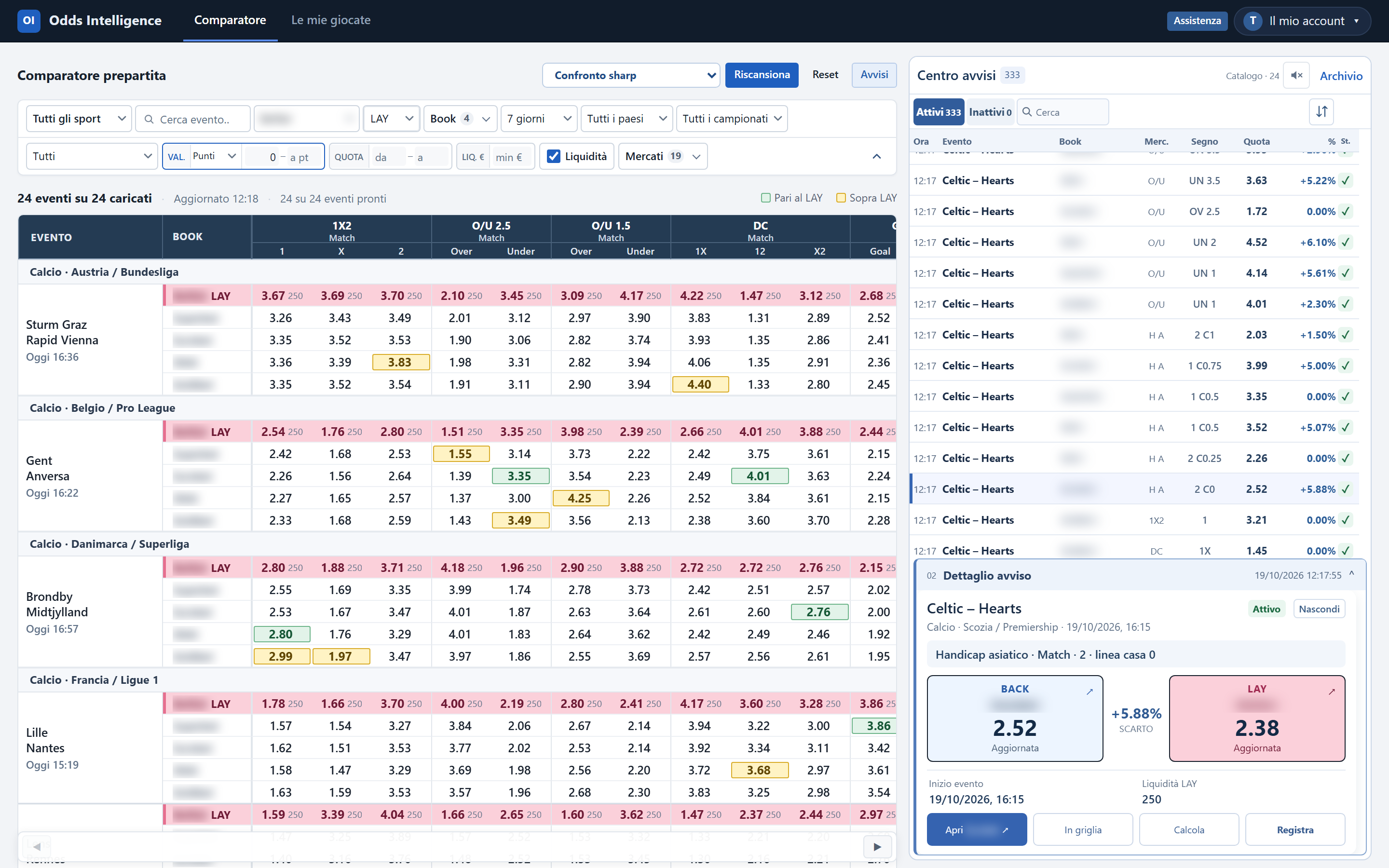
Every qualifying comparison becomes an alert in the column on the right, with time, event, bookmaker, market, selection, price and margin.

  • Active shows live alerts and those to verify; Inactive keeps the ones no longer live.
  • Sort by newest, margin, kickoff or bookmaker, and search by name.
  • New arrivals wait while you are reading, so rows stay still while you read.
05

Open an alert

The detail shows the BACK price of the bookmaker and the LAY price of the reference side by side, with the margin between them, the liquidity and the status.

  • Four actions: open the bookmaker, find the event in the grid, calculate the cover, record the bet. Click the BACK or LAY tile for the price chart.
  • Hide this event, this selection on every bookmaker or only on this bookmaker.
  • Hidden alerts are listed under Hidden alerts, where you can show them again.
06

Check the price history

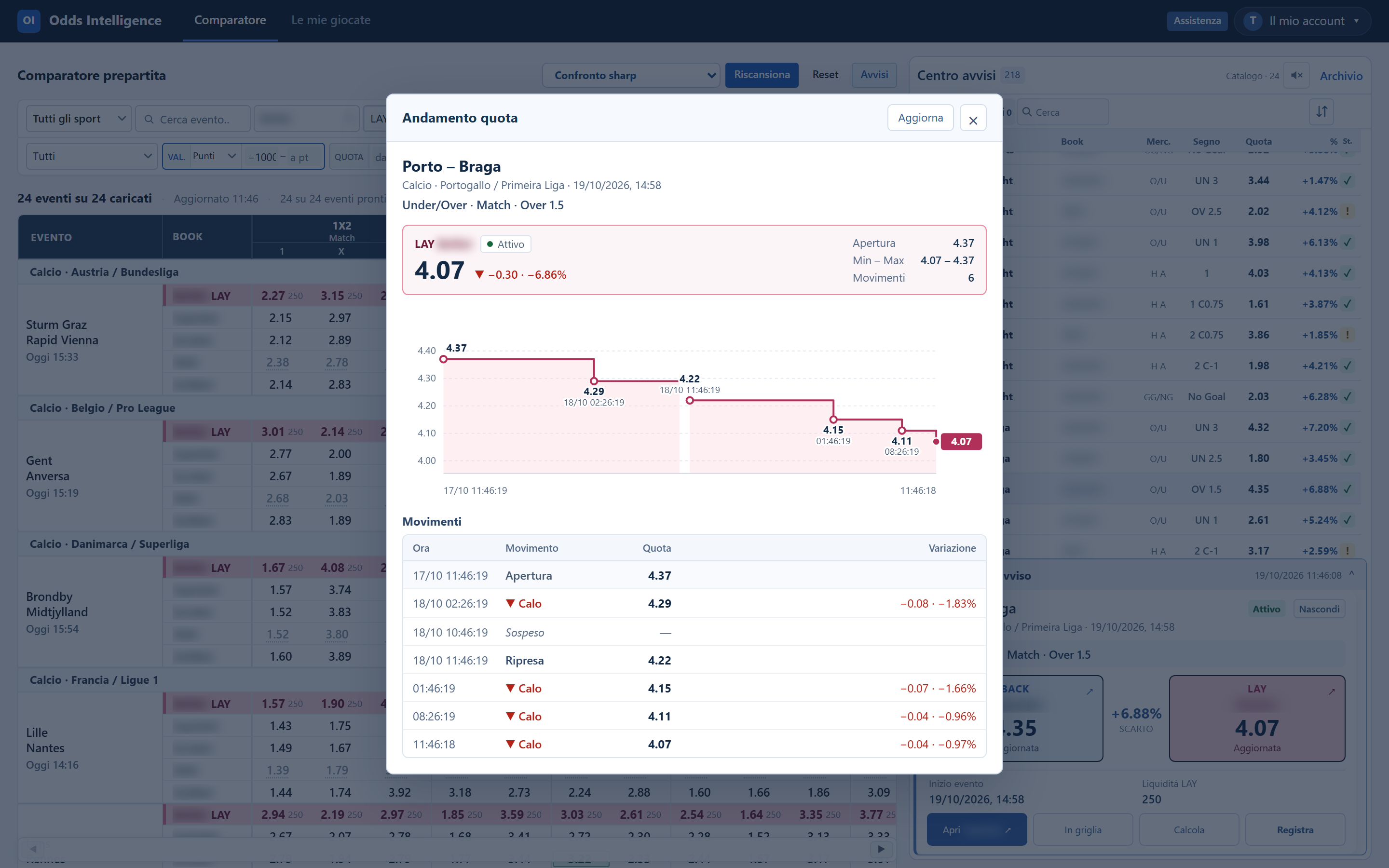
Before acting, look at how the price moved. In the alert detail, hover the BACK or LAY tile for the latest changes, or click it for the full chart.

  • The chart shows every recorded change of the reference LAY, from the first reading to kickoff.
  • First reading, minimum and maximum, plus the list of movements with time and change.
  • Gaps mean the price was suspended or not offered; nothing is filled in.
07

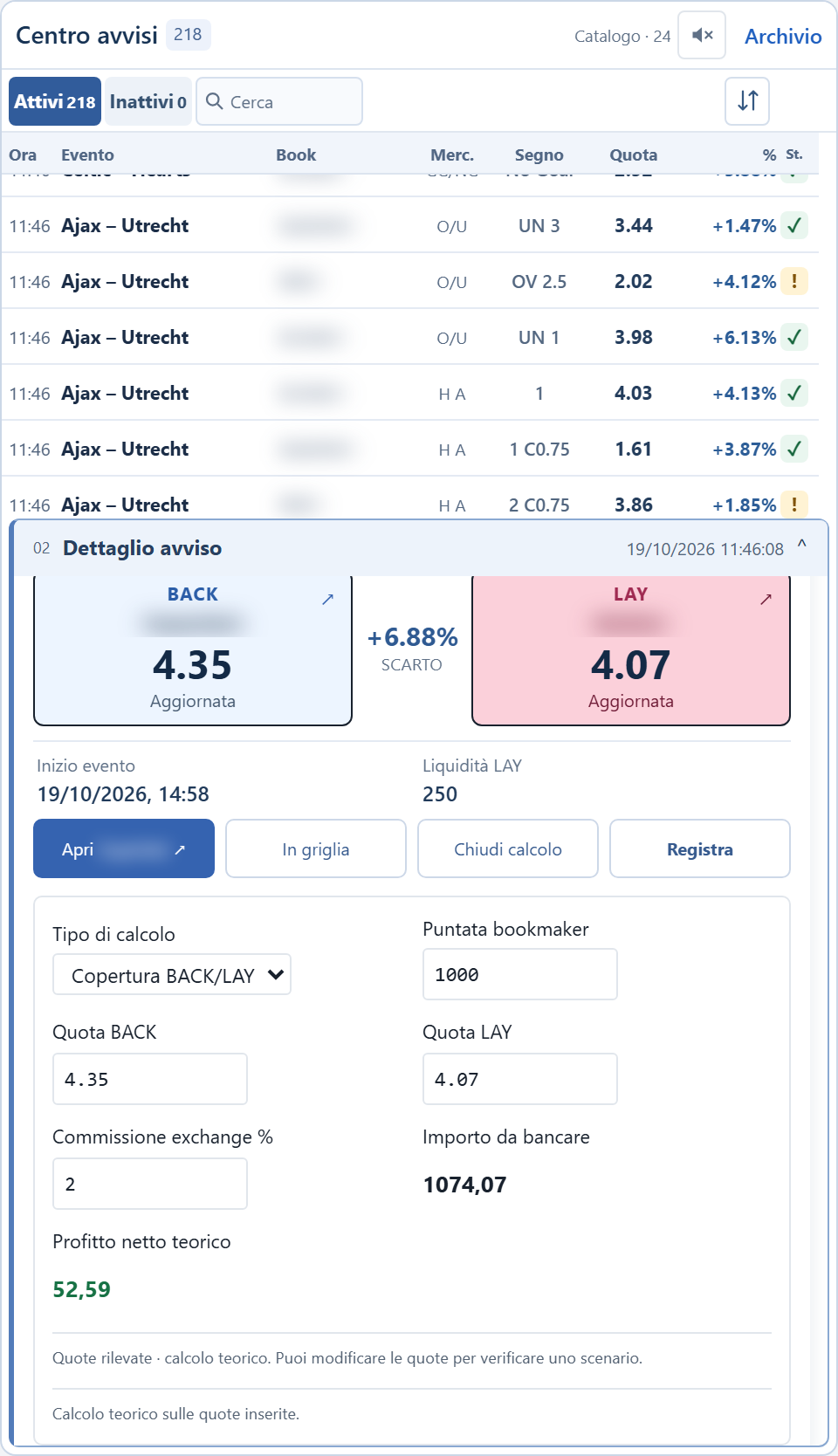
Calculate the cover

Calculate opens from the alert with both prices filled in. Enter the BACK stake and your exchange commission.

  • The LAY stake to place and the theoretical net result.
  • Prices can be edited if the bookmaker shows a different price.
  • The commission is remembered for the next time.
08

Record what you placed

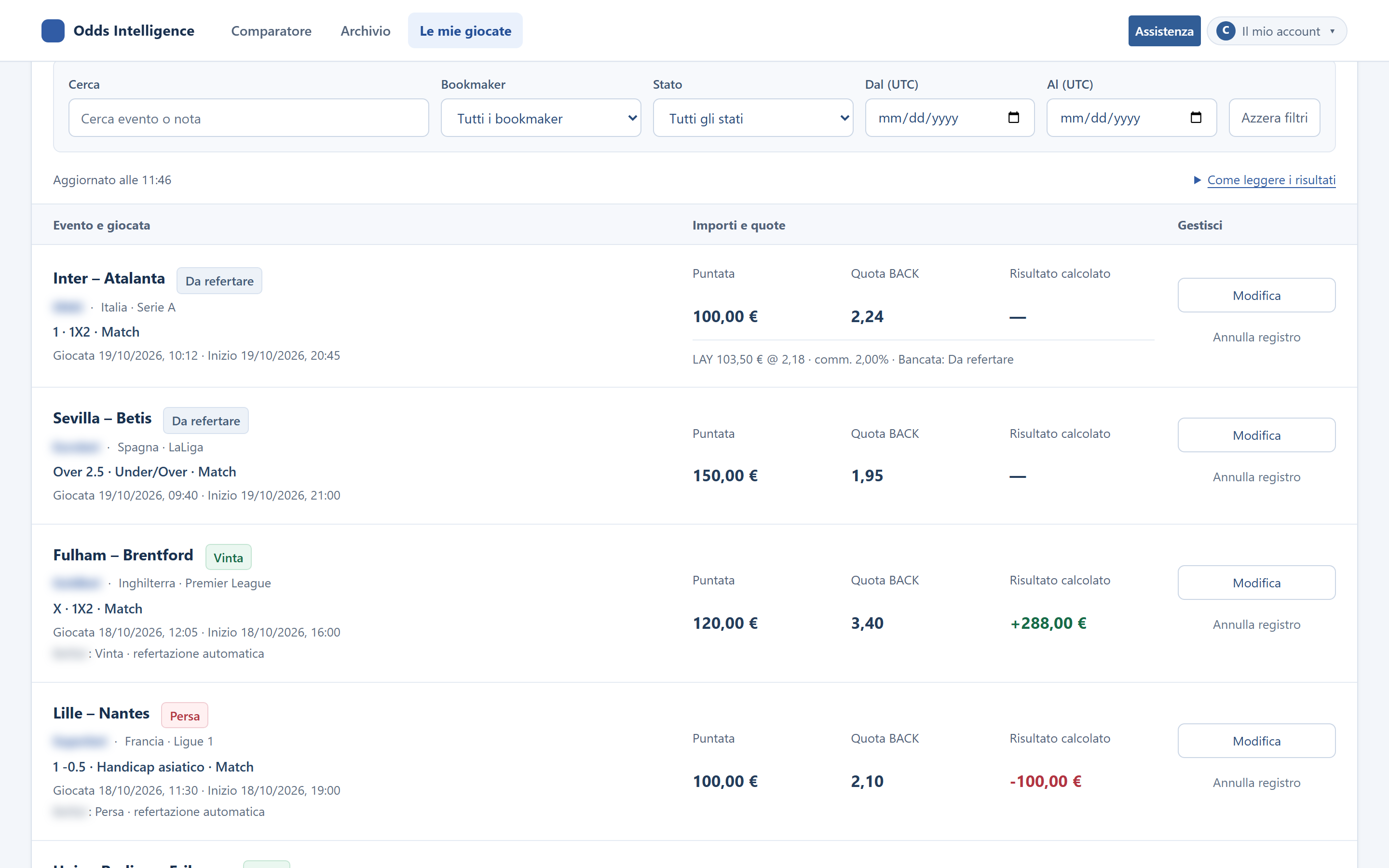
Record adds to your private journal a bet you have already placed yourself, with the actual stakes and prices.

  • Automatic settlement from the exchange result when it is available; you can always force it.
  • Totals, filters and export to CSV.
  • GameSolved never places bets: the journal only records what you did.
09

Punta/PuntaBeta

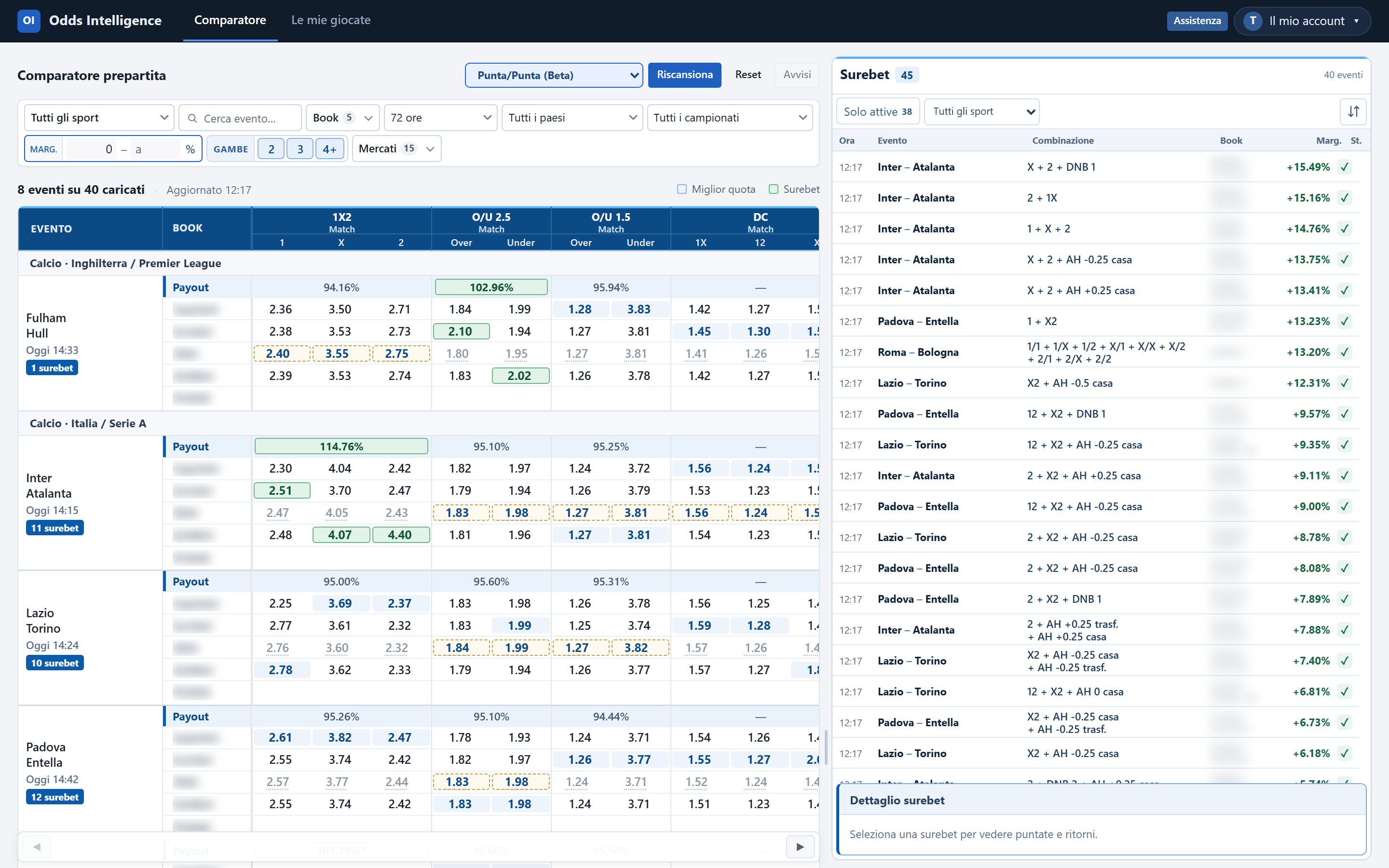
Switch the mode to Punta/Punta. The grid shows only BACK prices of your bookmakers, with a Payout row per market, and a panel lists the combinations that cover every outcome.

  • Filter by margin in percent (below zero you see near combinations) and by number of legs: 2, 3 or 4+.
  • Open a combination for the stake of each leg, rounded to the cent.
  • A leg with an old reading or a delayed source is shown as to verify.

Tip Check every price at the bookmaker before placing: a combination is only valid while all its prices are.
10

Multipla + bancateBeta

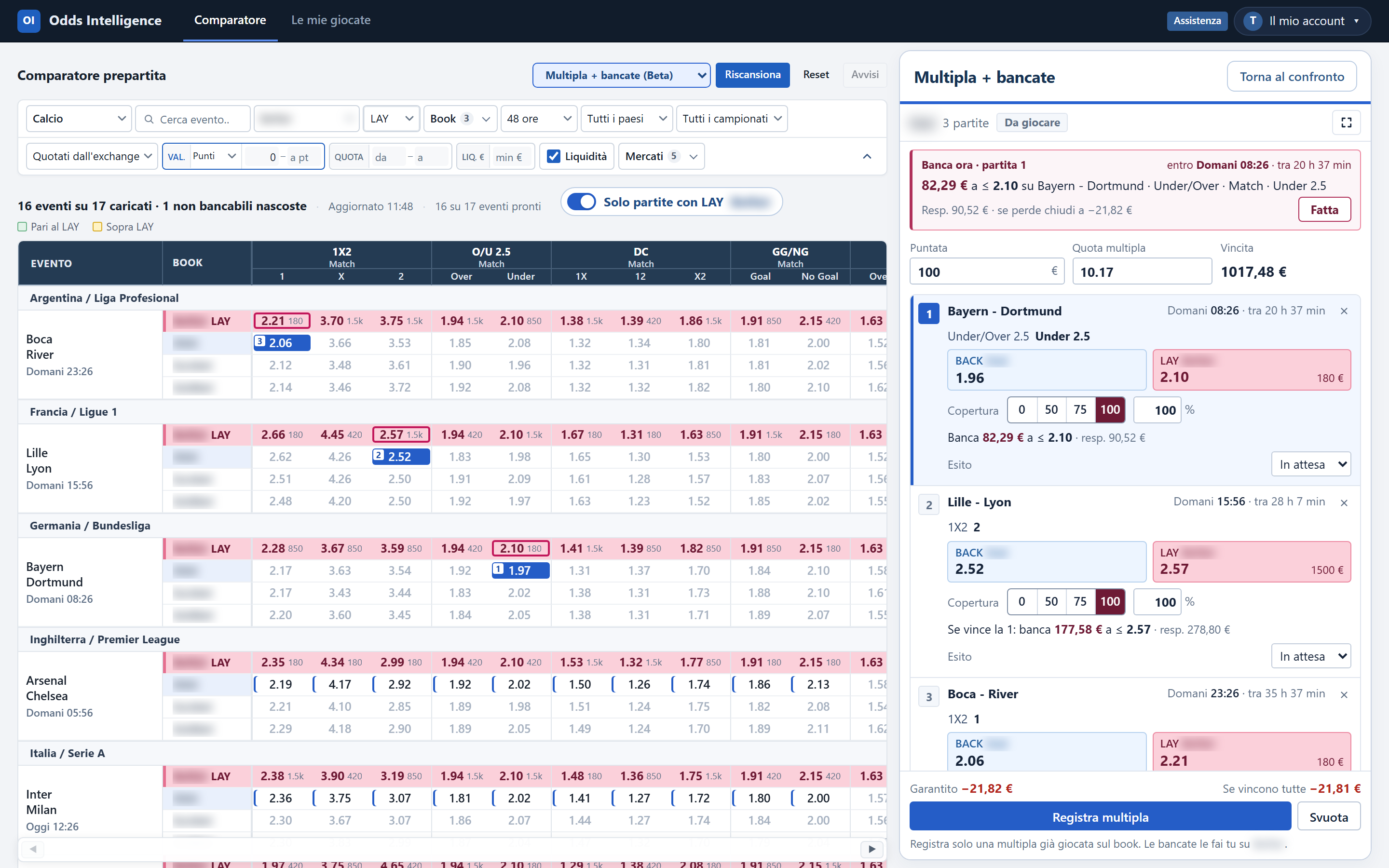
Switch the mode to Multipla + bancate, pick the legs of an accumulator from the grid and set the coverage of each leg.

  • Legs are far enough apart in time to cover each one before the next starts.
  • For each leg, choose the share to cover with a LAY on the exchange.
  • Scenarios show the result at every step, plus the exchange funds you need.
—

Glossary

BACK
A price to back a selection: at the bookmaker, or on the exchange.
LAY
A price to lay a selection on the exchange, that is, to take the other side.
Sharp reference
The sharp market the bookmakers are measured against, usually the exchange LAY price.
Margin
How far the BACK price is above the LAY price, in points or in percent.
Liquidity
The amount available on the exchange at that LAY price.
To verify
A reading older than its freshness window: it keeps its last number and colour with an asterisk, but never counts as active.

Ready to try it on your bookmakers? Every source is 120 € per month, 1 month minimum, −10% with 3 months.